
Workspace branding and defaults
Workspace settings define how your workspace appears inside HeyStream and how your brand appears on hosted registration, watch, embed, and related public pages.
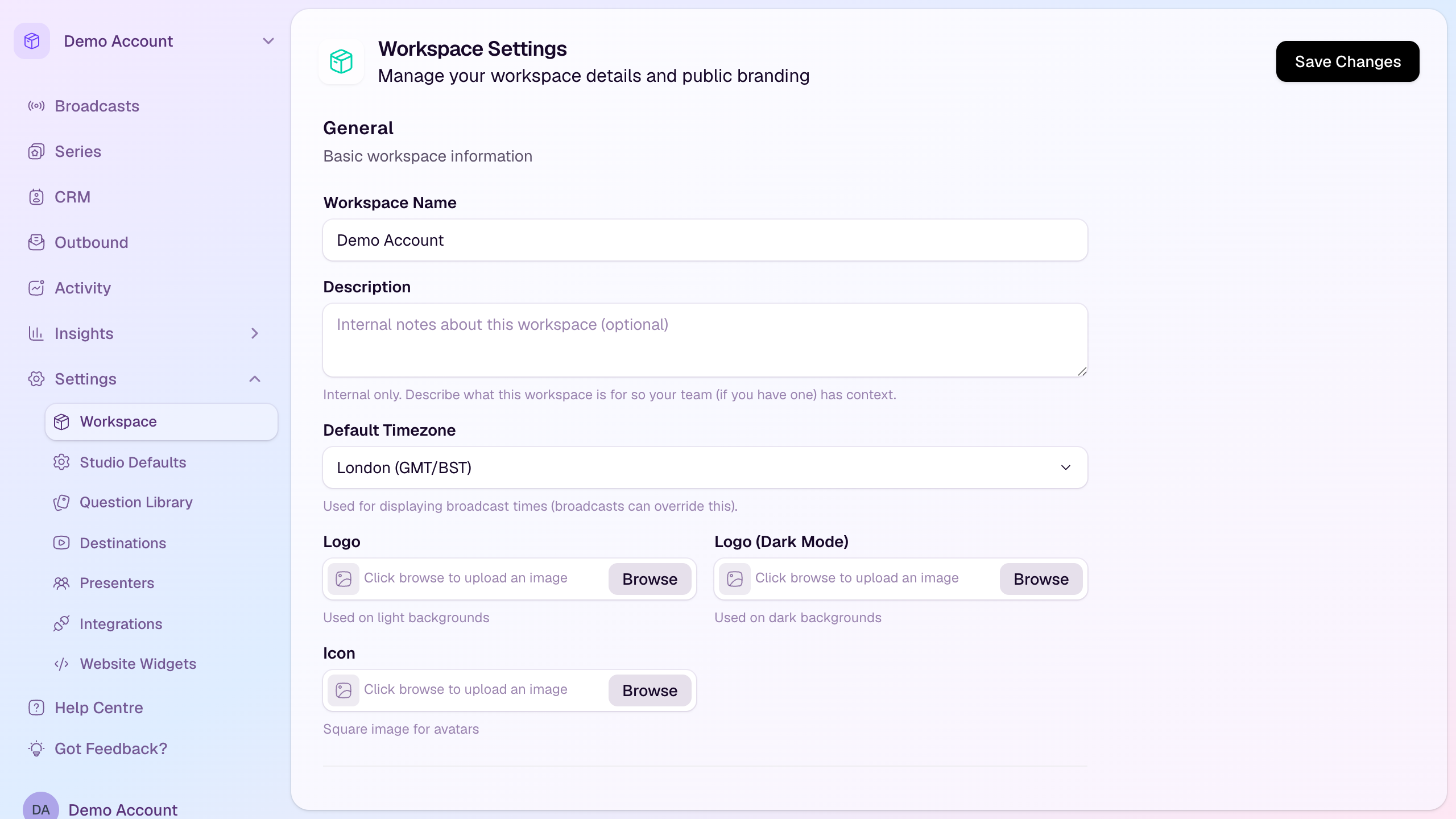
Open workspace settings
Choose the workspace you want to update.
Open Settings in the workspace sidebar.
Select Workspace.
Update general workspace details
Workspace name: The name your team sees inside HeyStream.
Description: Optional internal context for your team. This is not shown to attendees.
Default timezone: Used for displaying broadcast times. Individual broadcasts can override this when needed.
Add brand assets
Logo: Used on light backgrounds.
Logo for dark mode: Used where a dark background needs an alternate version of your logo.
Icon: A square image used in compact avatar-style placements.
Set public branding
Public branding controls the organisation name and short description attendees see on pages such as broadcast registration pages. Keep the public brand description short and recognisable.
Some plans can hide the "Powered by HeyStream" badge from registration, series, watch, embed, and unsubscribe pages. If your plan includes that option, it appears in the Public Branding section.
Add legal links
Use Legal Links when you want attendee-facing registration and subscription forms to link to your own Privacy Policy or Terms & Conditions.
Privacy Policy URL: Shown below registration and subscription buttons when provided.
Terms & Conditions URL: Shown below registration and subscription buttons when provided.
These links appear alongside HeyStream's own privacy link on public registration and subscription surfaces, including hosted broadcast registration pages, series subscription pages, embedded registration widgets, and watch access forms.
Use full public URLs that attendees can open, such as https://example.com/privacy. If you enter a URL without https://, HeyStream will save it as an HTTPS URL when possible.
Add social links
Use Social Links to add the public profiles you want shown on public pages, such as your website or social channels.
Review related defaults
After saving workspace branding, review the neighbouring settings that affect future broadcasts:
Studio Defaults: Default studio and recording behaviour for new broadcasts.
Question Library: Reusable registration questions.
Destinations: Additional streaming destinations.
Integrations: Connected CRM, email, notification, webhook, and payment tools.
Website Widgets: Embeddable registration widgets for your own site.
Save your changes
Select Save Changes when you are done. New broadcasts can then use your updated workspace details and defaults.