
Track CTA clicks and performance
HeyStream records CTA impressions and clicks so you can see which offers viewers saw, clicked, and acted on across live and replay viewing.
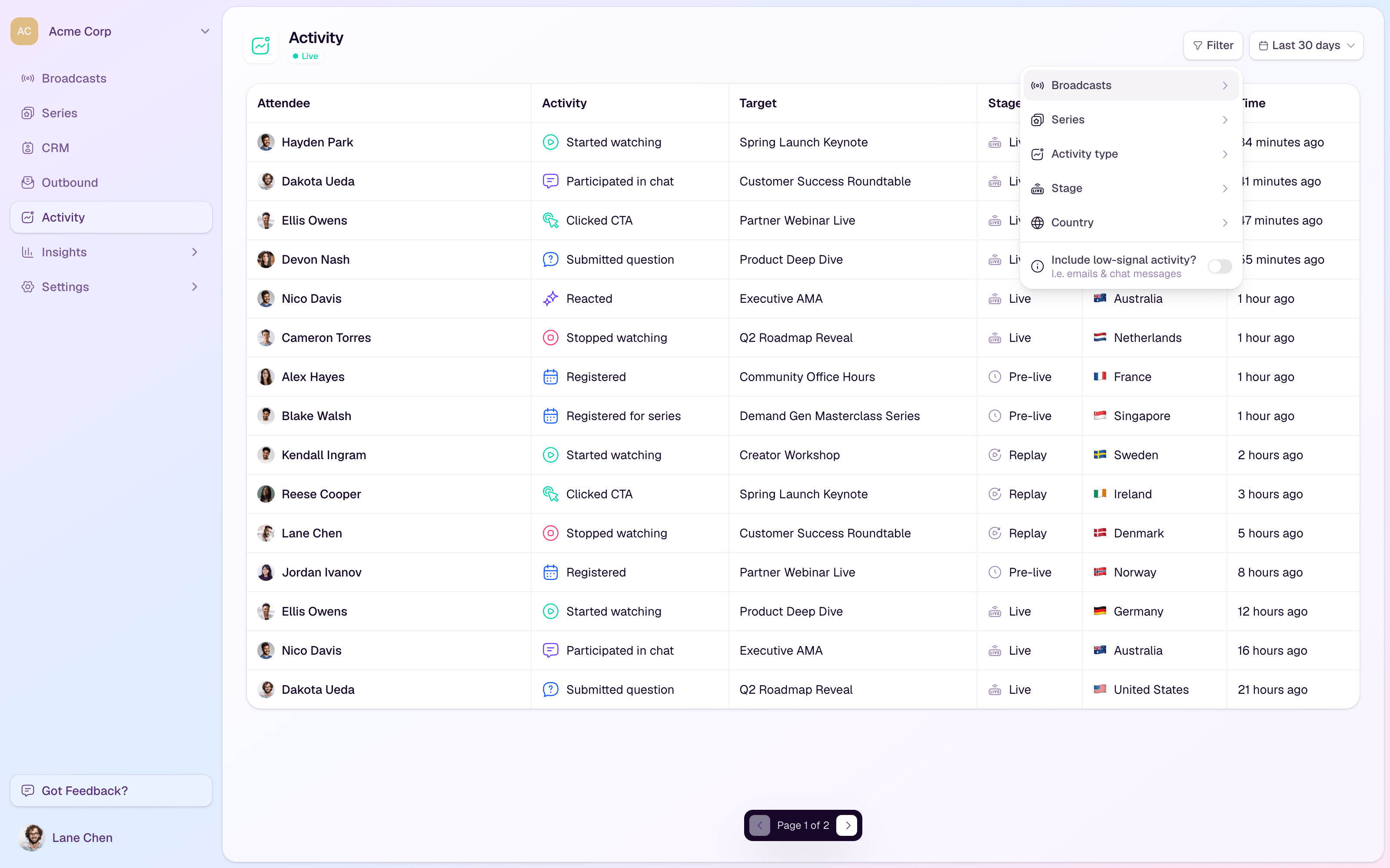
Where CTA activity appears
CTA cards in the studio can show views and clicks for the current broadcast.
The Activity feed includes CTA click events alongside viewing, chat, Q&A, reaction, registration, and replay activity.
Audience records can include CTA activity so your team can understand what each contact engaged with.
Broadcast engagement insights include CTA metrics such as impressions, clicks, and click-through rate.
Understand the metrics
Impressions count when a CTA is shown to viewers.
Clicks count when a viewer selects the CTA action.
Click-through rate compares clicks against impressions so you can judge how effective the CTA was.
Live and replay activity can be separated so you can see whether the CTA worked during the session, after the session, or both.
Review CTA performance
Open the broadcast or workspace activity area after the broadcast.
Filter activity to CTA clicks when you want to review who acted.
Check the broadcast engagement insights for impressions, clicks, and click-through rate.
Open individual audience records when you need contact-level context for follow-up.
Compare live and replay activity before deciding whether to keep, revise, or retire a CTA.
Use performance data for follow-up
Follow up quickly with viewers who clicked a high-intent CTA.
Create audience segments for contacts who clicked or did not click a CTA.
Use replay CTA clicks to identify people who acted after the live session ended.
Rewrite CTAs with high impressions and low clicks so the value is clearer.
Tips
Use one main CTA per moment so performance is easy to interpret.
Name CTAs clearly in the library so reports and activity records are easy to understand later.
Do not judge a CTA from clicks alone; compare it with the size and intent of the audience that saw it.
Keep successful CTAs in the workspace library so producers can reuse them in future broadcasts.