
Embed registration widgets on your site
Website widgets let you promote a broadcast or series from your own site while still using HeyStream registration. You can style the widget, restrict where it can run, and copy install code for your site.
Create a widget
Go to Settings, then Website Widgets.
Select Add Widget.
Name the widget so your team can recognize where it is used.
Choose whether the widget promotes a broadcast or a series.
For broadcasts, choose Auto to show the next available broadcast, or select a specific broadcast.
Set the allowed domain for the site where the widget will be installed.
Customize and install
Use the Design panel to choose the widget style, theme, placement, border radius, shadow, and presenter display.
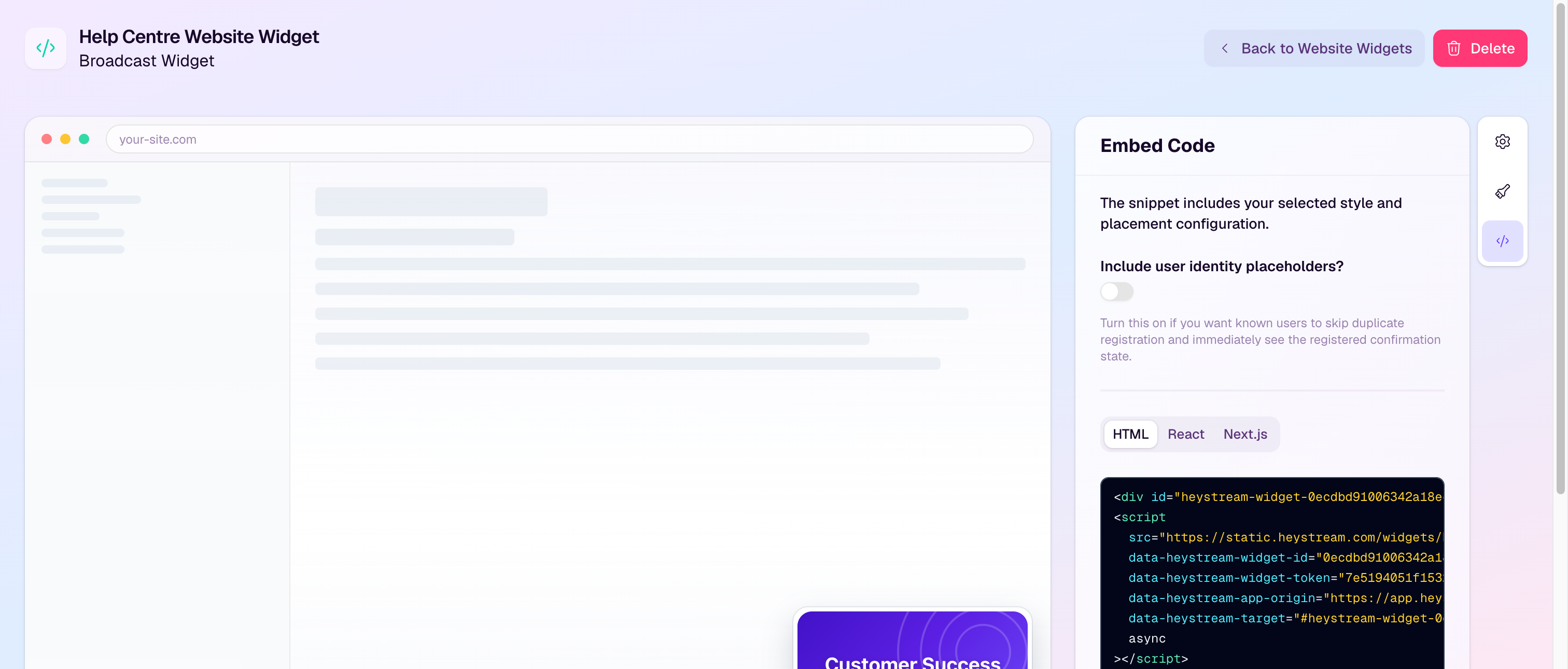
Use the Embed Code panel to copy the HTML, React, or Next.js snippet.
If your site already knows the visitor, optional identity placeholders can help known users avoid duplicate registration.
If a token may have been exposed, rotate it and replace the installed snippet or token on your site.
Confirmation behavior
Embedded registration widgets show the confirmation inside the widget after someone registers. Custom confirmation URLs only apply to hosted registration pages, so widget registrations do not redirect away from your website.
Good to know
Paused widgets can be hidden, show an offline message, or show custom copy.
Dismiss cooldowns control how soon a dismissed widget can appear again for the same visitor.
Domain restrictions help prevent your widget from being reused on sites you do not control.