
View contact profiles
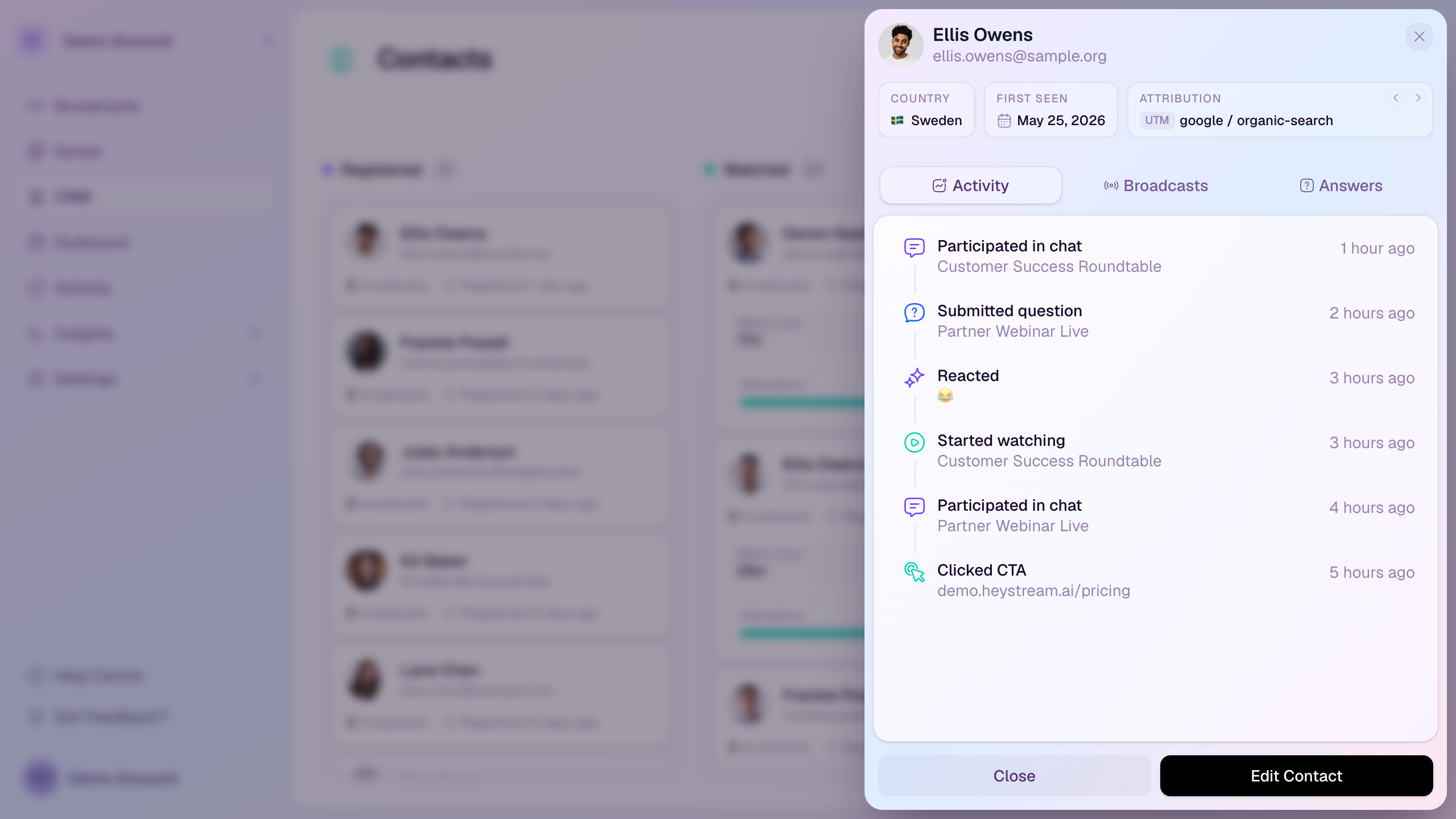
Contact profiles bring together a person’s identity, attribution, registrations, registration answers, and engagement history. Open a profile whenever you need to understand what one attendee has done across your broadcasts.
Open a profile
Go to CRM.
Find the contact using the board, list view, search, or filters.
Select the contact card or row.
Review the profile drawer that opens on the right-hand side.
Profile header
Name and email identify the contact.
Country shows the strongest available location signal.
First seen shows when HeyStream first recorded the contact.
Attribution can show UTM details, referrer, or landing page information when available.
Activity tab
Shows recent actions such as registrations, watch starts and stops, CTA clicks, questions, chat activity, and email engagement.
Each activity row includes the related broadcast or destination where HeyStream can identify it.
Use this tab when you want a quick timeline of what the contact did most recently.
Broadcasts tab
Shows the broadcasts the contact registered for.
Each broadcast card can show watch mode, watch time, first attended time, and registration answer count.
Use this tab when you want to understand the contact’s event history and resend a broadcast email or copy a watch link.
Answers tab
Shows registration-question answers captured for the contact across broadcasts.
Shared question-library answers appear together, and broadcast-specific answers are grouped under the broadcast they came from.
Use this tab when you need to qualify a contact, personalize follow-up, or compare what the same person answered across multiple registrations.
Available actions
Edit Contact updates the contact’s saved name or email details.
Resend Email sends a selected transactional email again when a contact needs another confirmation or reminder.
Copy Watch URL gives you a contact-specific watch link for the selected broadcast.