
Plan limits: attendees, duration, storage, destinations, presenters
HeyStream plan limits define the size and shape of the live programme your account can run. The most important limits cover live attendees, broadcast length, storage, streaming destinations, on-screen presenters, workspaces, and active series.
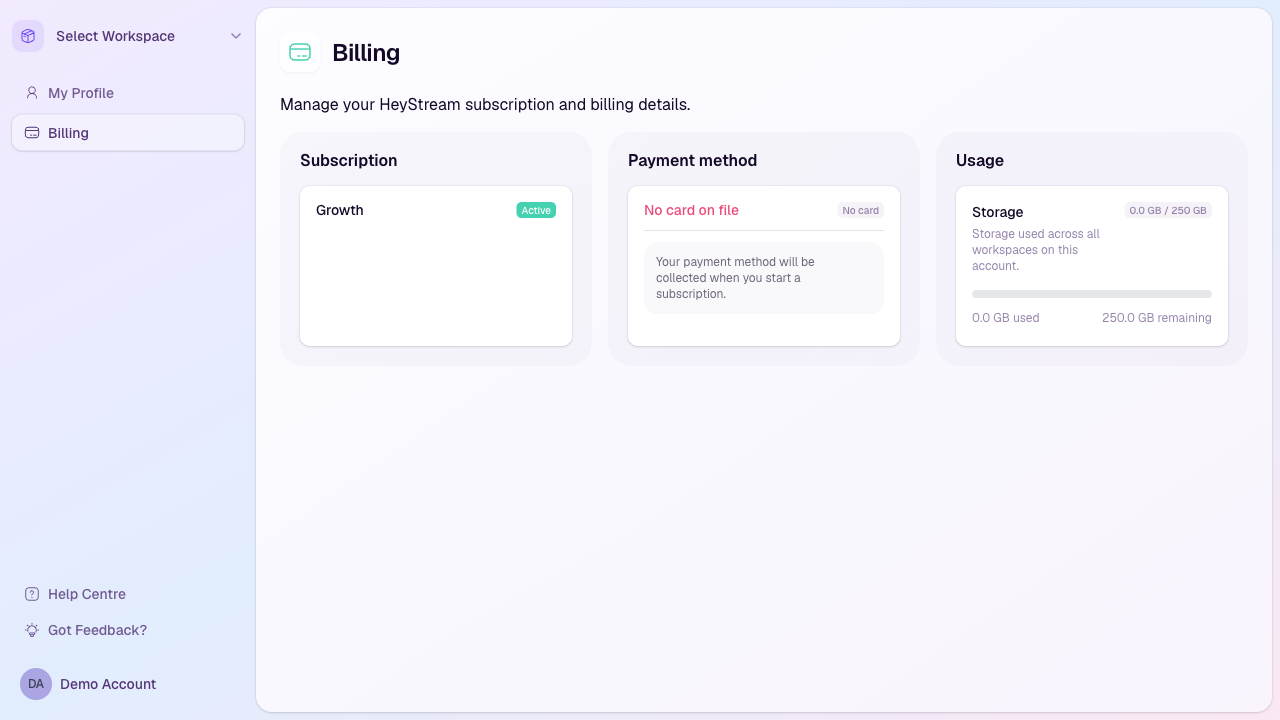
Where to see your plan
Sign in to HeyStream.
Open the account area from the sidebar.
Select Billing.
Check the Subscription card for your current plan and the Usage card for storage used across the account.
Live attendee limits
The live attendee limit is the number of viewers who can watch one broadcast live at the same time. Registrations and replay views do not count toward the live attendee limit.
Launch: 100 live attendees per broadcast
Growth: 500 live attendees per broadcast
Scale: 2,000 live attendees per broadcast
Broadcast duration limits
Estimated duration helps HeyStream check whether a broadcast fits your plan before you save it.
Launch: Up to 2 hours
Growth: Up to 4 hours
Scale: Up to 8 hours
Storage limits
Storage is shared across recordings and uploaded files on the account. The Billing page shows current storage usage.
Launch: 50 GB
Growth: 250 GB
Scale: 1 TB
Streaming destination limits
Additional destinations are places you stream to beyond the HeyStream watch page, such as YouTube, LinkedIn, or Facebook.
Launch: 0 additional destinations
Growth: 3 additional destinations
Scale: 8 additional destinations
Presenter and workspace limits
On-screen presenters: Launch supports 4, Growth supports 8, and Scale supports 12 presenters on screen at the same time.
Workspaces: Launch includes 1 workspace, Growth includes 3, and Scale includes 10.
Active series: Launch includes 1 active series, Growth includes 5, and Scale includes unlimited active series.
What happens when you hit a limit
HeyStream may block the action, disable the button, show an upgrade prompt, or prevent the change from being saved. This keeps the workspace from being configured in a way the current plan cannot support.