
Custom registration questions
Custom registration questions help you collect useful context before a broadcast, such as role, goals, team, consent, or segmentation details for follow-up.
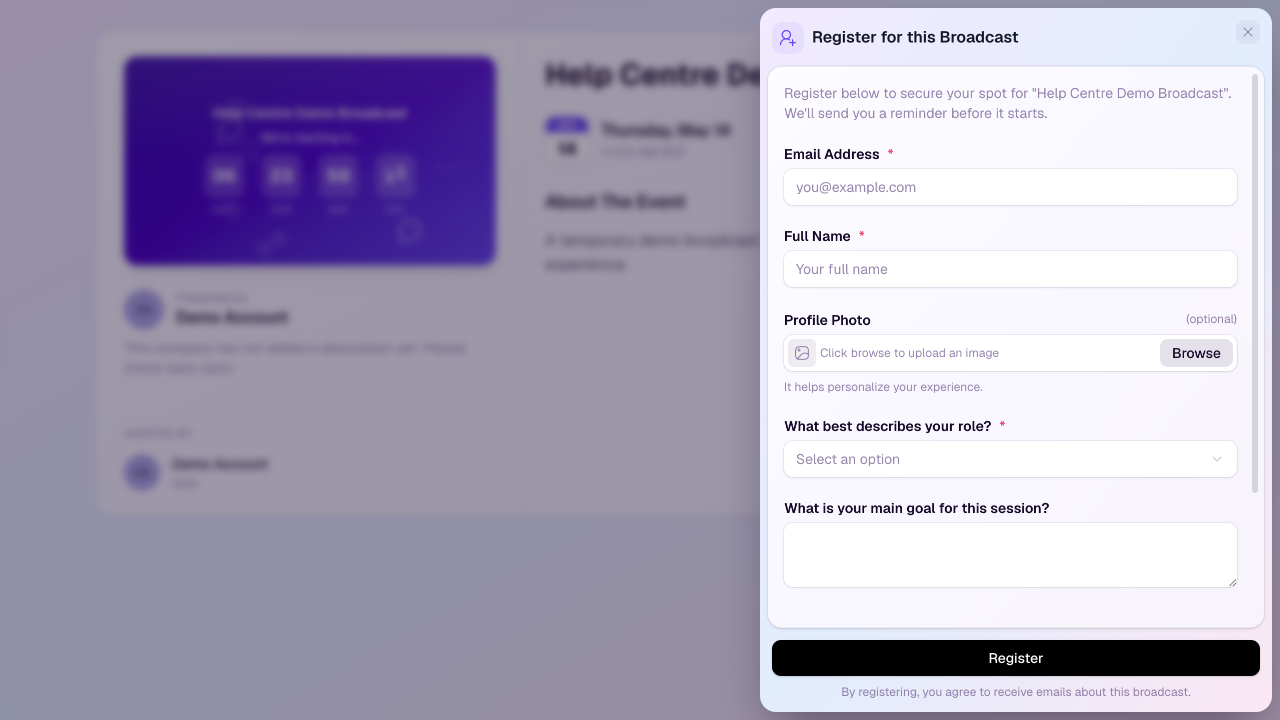
Where to add questions
For a single broadcast, open the broadcast editor and use the registration settings.
For a recurring series, add questions to the series so the same form applies across the series.
Email address and full name are always collected by the registration form.
Question types
Text Input: best for short answers such as company, job title, or a one-line detail.
Text Area: best for longer answers such as goals, questions, or background context.
Checkbox: best for a single yes/no confirmation.
Choice: best for predefined options. Choice questions can be shown as a dropdown or a list, and can allow one or multiple selections.
Tips for better questions
Mark a question as required only when the answer is essential.
Use choice questions when you want clean segments for follow-up and reporting.
Keep the form short enough that people will still complete registration.
Review attendee responses after registration to use the answers in reminders, live discussion, and post-event follow-up.