
Registration response insights
Registration response insights show how people answered your custom registration questions. They help you understand audience intent, segment attendees, and improve future registration forms.
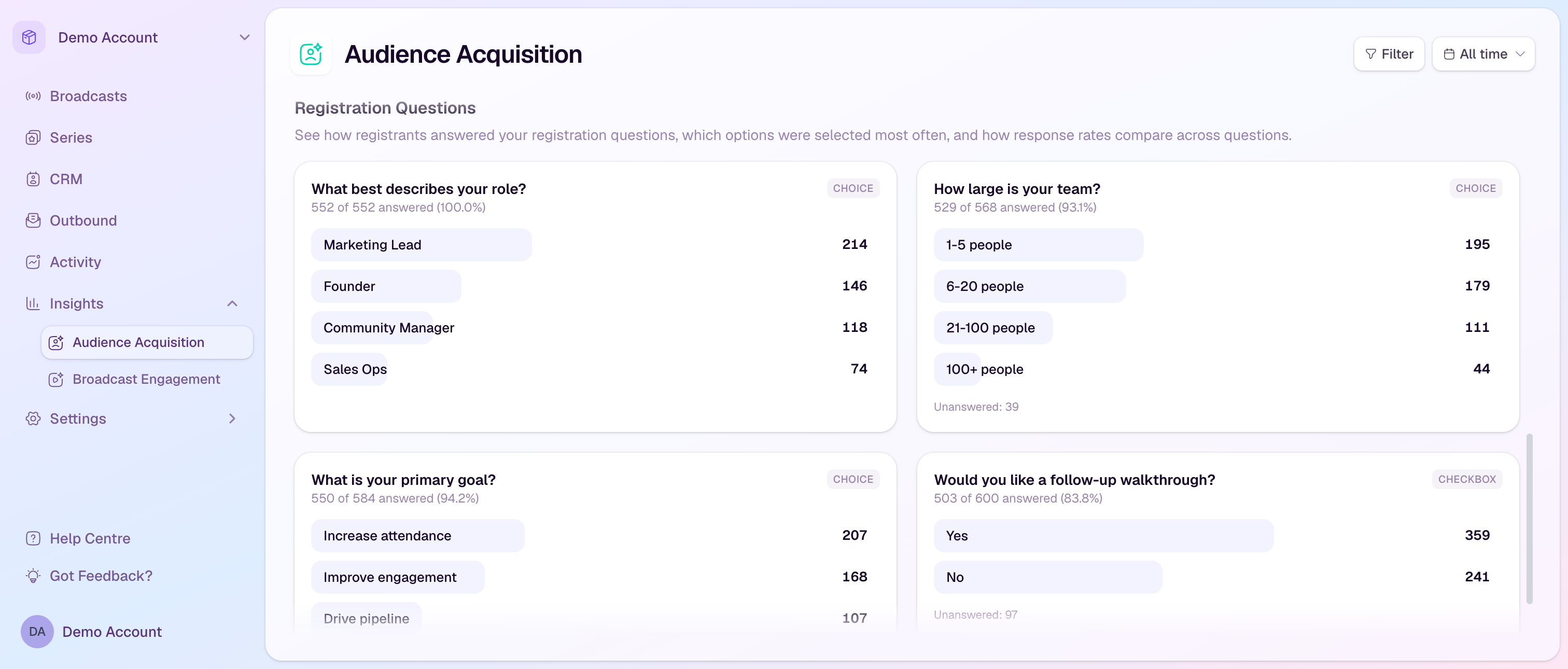
Where to find them
Go to Insights.
Open Audience Acquisition.
Scroll to Registration Questions.
Use filters if you want to focus on one broadcast, series, country, or registration status.
Read each question card
The title is the registration question label shown to registrants.
The answered line shows how many people answered out of the total respondents, plus the completion rate.
The question type shows whether the question is a choice or checkbox field.
Each option shows its response count and share of answers or respondents, depending on the question type.
Unanswered shows how many respondents skipped the question when that applies.
Use the insights
Spot the audience segments that matter most for follow-up.
Compare responses between all registrants and attendees to see which groups actually show up.
Review low-completion questions and simplify future forms if they create friction.
Use goal, role, or team-size answers to tailor replay emails, sales follow-up, and future session topics.
Good habits
Ask questions you will actually use after the broadcast.
Keep required questions short and easy to answer.
Use consistent question templates across related broadcasts when you want comparable reporting.