
Track registrations, attendance, clicks, and replay activity
HeyStream records audience activity as people register, watch live, return for replays, interact with CTAs, and engage with emails. These events help you understand both individual attendee journeys and the wider performance of a broadcast.
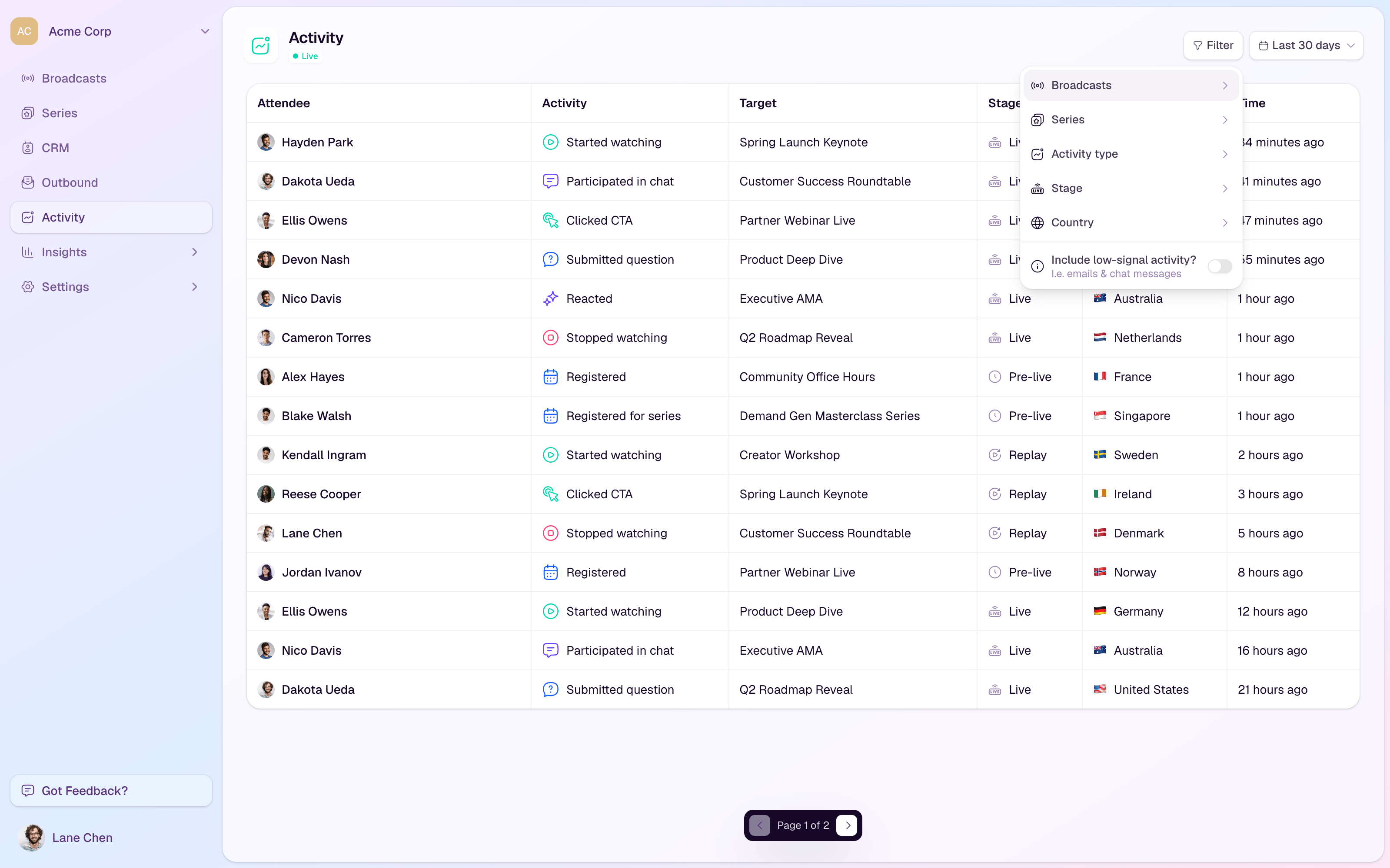
Where activity appears
CRM contact profiles show activity for one person.
The Activity page shows a workspace-level feed across contacts and broadcasts.
Insights pages summarize activity into reporting views for acquisition, engagement, registration responses, and CTA performance.
Activity types you can track
Registrations for broadcasts and series.
Live and replay watch starts and stops.
Chat participation, chat messages, submitted questions, and stream reactions.
CTA clicks and CTA purchases.
Email sends, deliveries, opens, clicks, bounces, and spam complaints.
Understand the stage
Pre-live activity usually covers registration and questions submitted before a session starts.
Live activity shows what happened while the broadcast was live.
Replay activity shows post-event viewing and engagement.
Email activity shows how contacts interacted with HeyStream emails.
Use activity for follow-up
Follow up quickly with people who clicked an offer or purchasing CTA.
Send replay nudges to registrants who did not attend live.
Prioritize engaged viewers who watched for longer or returned for replay content.
Review submitted questions and chat participation before planning the next session.