
Registration links and calendar invites
HeyStream gives each broadcast public registration and watch pages, plus calendar links for scheduled events. Use the right link for the right audience so people can register, save the event, and return when it is time to watch.
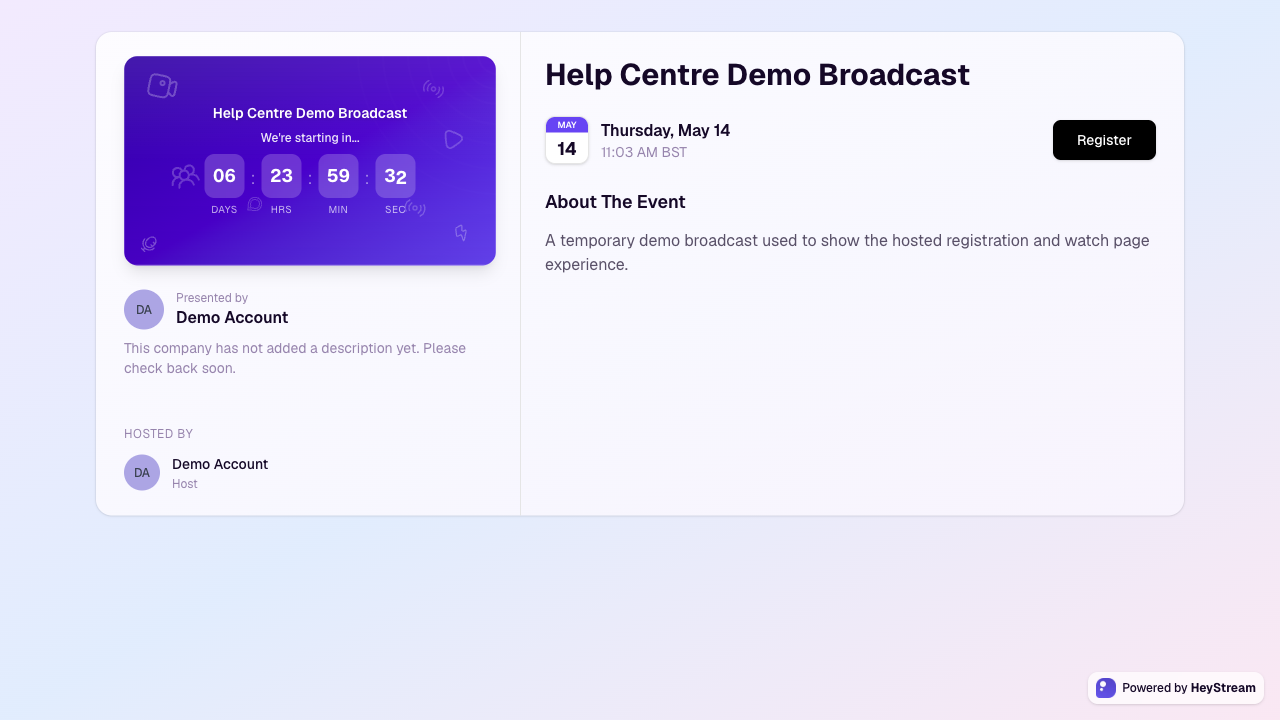
Which link to share
Registration page: share this publicly when people still need to sign up.
Watch page or watch link: send this to registered attendees in confirmation and reminder emails so they can access the broadcast.
Calendar invite: use calendar links for scheduled broadcasts so attendees can add the event to their calendar.
Calendar details in registration emails
For scheduled broadcasts, HeyStream includes calendar details in the registration confirmation email by default. The email includes an `.ics` calendar file, and supported email apps can also recognise the event details directly.
The calendar event uses the broadcast title, description, start time, estimated duration, and watch page URL. This gives registrants a saved event with the information they need to return at the right time.
To turn calendar details on or off for a workspace:
Open Settings > Workspace.
Find Registration Emails.
Change Include calendar details and save your changes.
Turning calendar details off removes the calendar file and event details from future registration confirmations. It does not turn off the registration confirmation email itself.
Other calendar invite behavior
Calendar invites are available for broadcasts with a scheduled date and time.
Transactional emails can include calendar links for Google, Outlook, Office 365, Apple/iCal, and Yahoo.
Series can use a calendar subscription feed so future scheduled broadcasts can appear in a subscriber's calendar.
If you use a custom confirmation URL, the hosted registration page redirects after signup instead of showing HeyStream's in-page add-to-calendar links. Keep calendar links in confirmation emails or add them to your destination page.
Recommended workflow
Finish the broadcast title, description, schedule, timezone, and registration settings.
Open the hosted registration page and check that the public details look right.
Share the registration page in public promotion.
Let HeyStream confirmation and reminder emails send registered attendees their watch and calendar links.