
Export contacts
Exporting contacts gives you a CSV file of the people in your workspace CRM, so you can analyse the audience, share a list with your team, or continue follow-up work outside HeyStream.
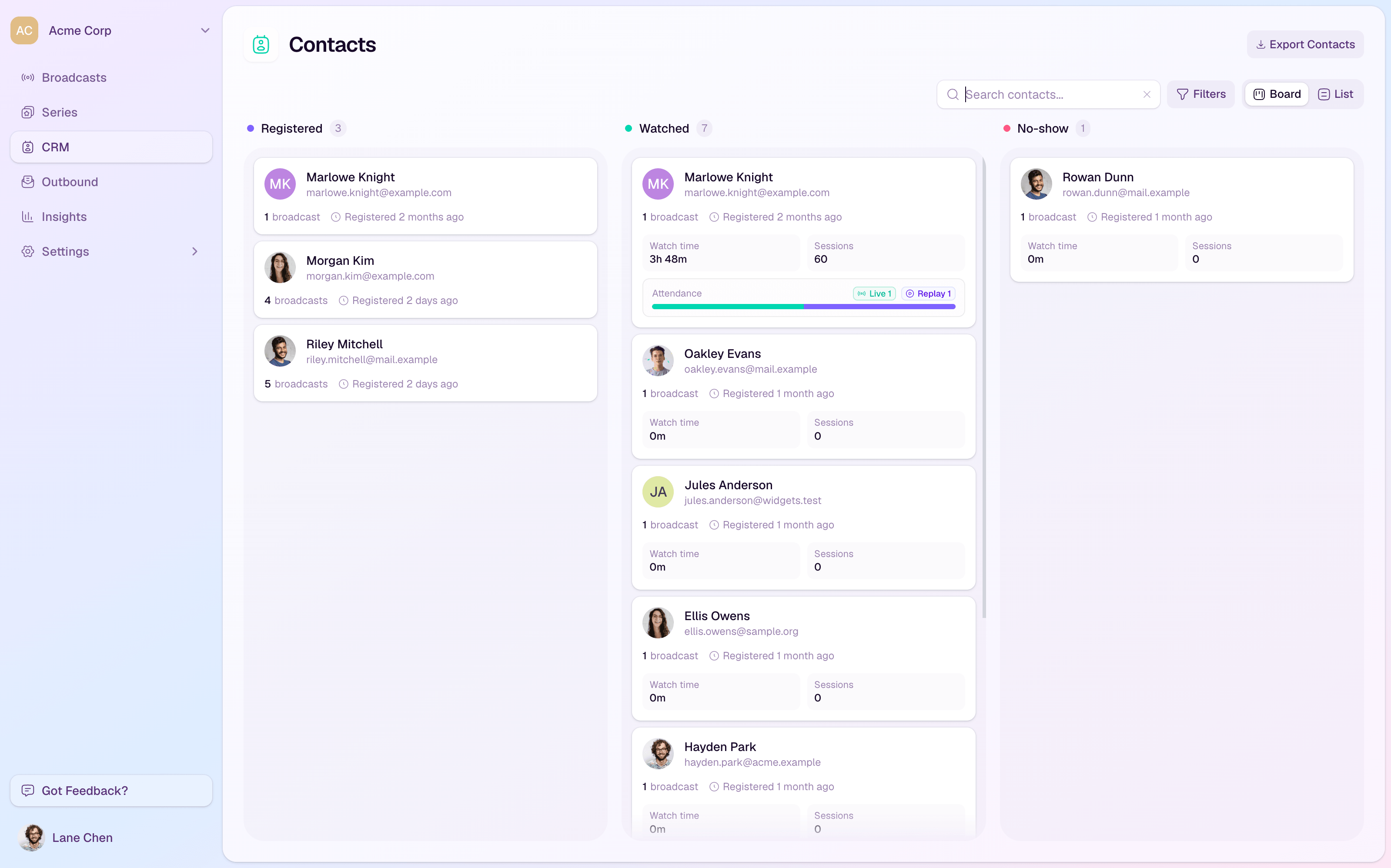
Export your CRM contacts
Open CRM from the workspace sidebar.
Select Export Contacts in the top right of the CRM board.
HeyStream queues the export in the background.
When the file is ready, HeyStream emails the download link to your account email address.
What the export includes
The export is workspace-wide, so it covers the contacts stored in the CRM for the current workspace.
The file is generated as a CSV, which can be opened in spreadsheet tools or imported into another approved system.
Exports are processed asynchronously, so you do not need to keep the CRM page open while the file is being prepared.
When to use it
Share a post-event attendee list with your sales or customer success team.
Analyse contacts, companies, or engagement patterns in a spreadsheet.
Create a point-in-time backup of your workspace CRM before a larger audience operation.
Troubleshooting
If you do not receive the email, check the email address on your HeyStream user account and your spam folder.
If the export fails or never arrives, try again later or contact support with the approximate time you requested the export.