
Presenter invite issues
Use this guide when a presenter cannot join the studio, opens the wrong page, appears in the waiting room unexpectedly, or does not have the controls they expected.
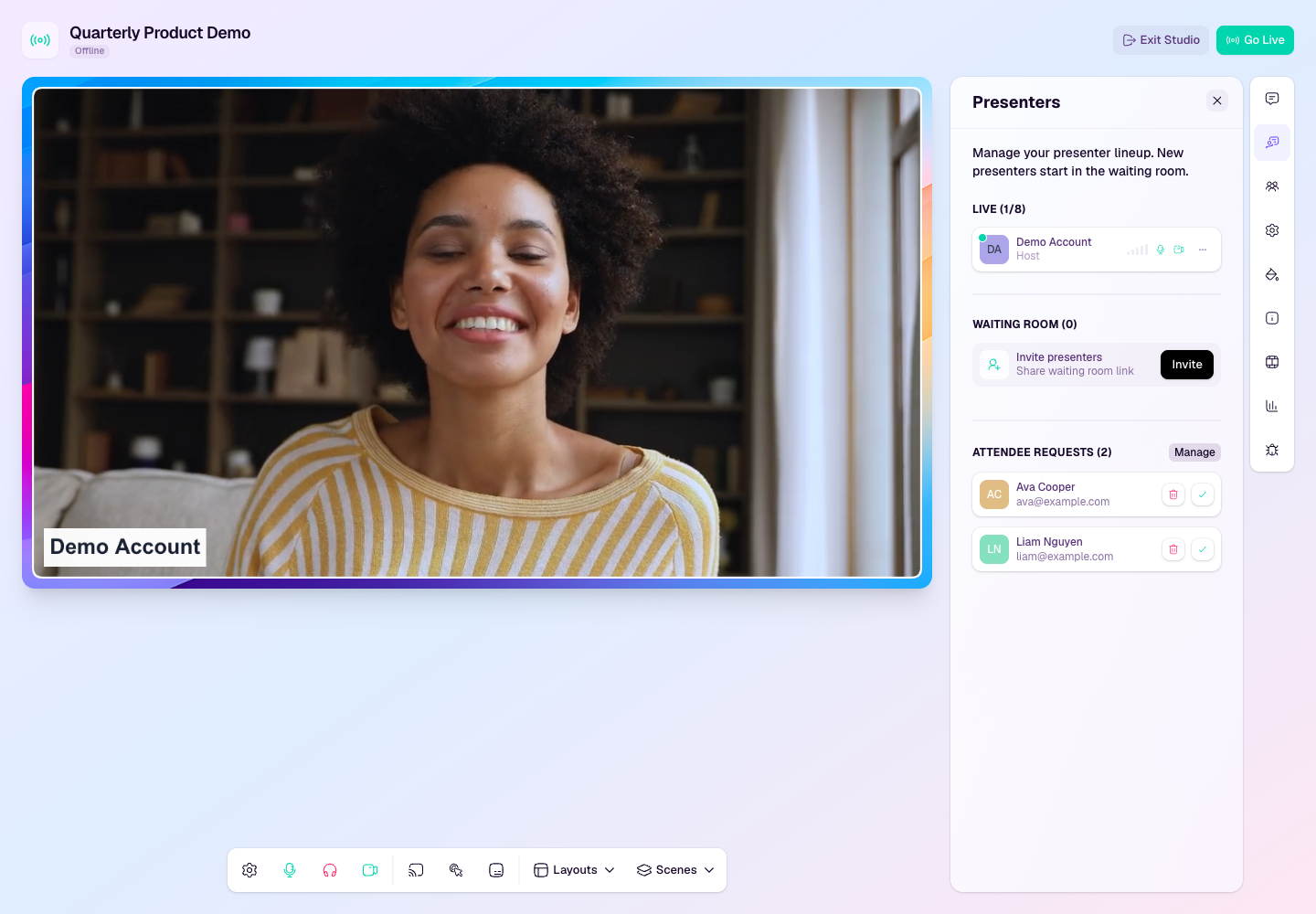
Confirm the right link was shared
Open the broadcast in HeyStream and check the presenter or studio invite details.
Share the presenter studio link, not the public registration page or watch page.
If the presenter is already listed but offline, open their card menu in the Presenters panel and generate their personal studio join URL.
If the presenter was added from the presenter directory, confirm their email address is correct.
Ask the presenter to open the link in the same browser where they are signed in, or to sign in with the invited email address.
Presenter lands on the wrong page
If they see the public registration page, they are using an attendee-facing link rather than a studio link.
If they see a watch page, add them as a presenter or resend the studio invite from the broadcast setup.
If they are asked to sign in, they should use the email address that was invited to the broadcast.
If the broadcast is part of a series, confirm they were invited to the correct broadcast or series session.
Presenter is stuck waiting
Open the Presenters panel in the studio and check whether the presenter is waiting to be admitted.
Admit the presenter when you are ready for them to join the backstage area.
If the presenter is not visible, ask them to reload the studio invite link and enter their name again.
If the presenter joined with the wrong account, remove the incorrect entry and send a fresh invite to the right email address.
Presenter has the wrong controls
Check the presenter role. Hosts and co-hosts have more production controls than standard presenters.
Use the presenter menu to update their role if they should help manage the broadcast.
If plan limits prevent another on-screen presenter, remove someone who is no longer needed or upgrade before adding more presenters.
Ask the presenter to refresh after role changes if their controls do not update immediately.
Presenter order or layout position looks wrong
Live presenter order controls the webcam slots in each layout.
Drag live presenter cards in the Presenters panel to change the order.
Offline assigned presenters are skipped until they join, so the visible layout may close the gap temporarily.
When the offline presenter comes online, they return to their ordered position.
For a full explanation, see Presenter roles, waiting room, and on-screen control.
Quick fixes
Generate a fresh studio join URL from the offline presenter card if the presenter copied the link from an old message or calendar event.
Ask the presenter to disable browser extensions that block cookies or scripts for the studio.
Use a fresh private browser window only for testing. For the real broadcast, presenters should use their normal signed-in session.