
Recording and replay issues
Use this guide when a recording is missing, still processing, unavailable on replay, or not downloading as expected.
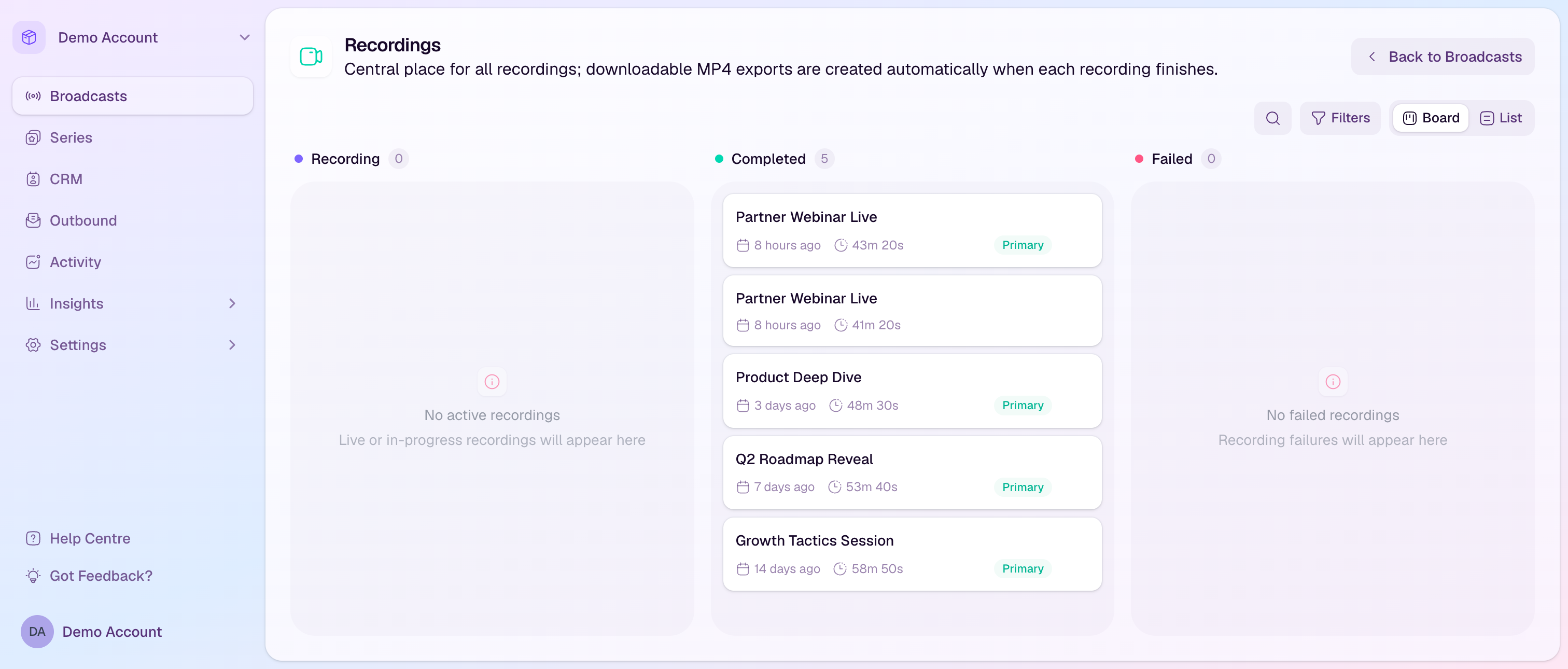
First checks
Open the Recordings page and confirm the broadcast appears in the list.
Check the recording status. Processing recordings may need more time before replay or downloads are available.
Confirm the broadcast actually went live. Draft, cancelled, or never-started broadcasts do not create a cloud recording.
Check whether cloud recording, browser local recording, or both were enabled for the broadcast.
Make sure you are in the workspace where the broadcast was run.
Cloud recording is missing
Confirm the broadcast was started and stopped normally from the studio.
Check whether the stream ran long enough for a recording to be created and finalized.
If the studio or connection failed before the stream began, there may be no cloud recording to process.
If the recording appears as failed, contact support with the broadcast link, stream time, and any visible error state.
Replay is not available
Wait for processing to finish. Replay usually becomes available after the recording has been finalized and processed.
Confirm replay access is enabled for the broadcast if viewers should be able to watch after the live event.
Check that viewers are using their personal watch link or the watch access screen with the email they registered with.
If the replay is available to admins but not viewers, review the broadcast access and registration settings.
Browser local recordings are missing
Browser local recordings are saved and uploaded from the participant device that captured them.
Ask the host or presenter who recorded locally to keep the browser open until uploads finish.
If an upload failed, retry it from the same device and browser when possible.
Check available disk space and network stability before retrying large local recording uploads.
If the recording was captured on another presenter device, it will not appear from your device until that presenter uploads it.
Downloads or exports are not ready
Wait for the recording status to change from processing before downloading.
For large recordings, give export jobs extra time to generate.
Refresh the Recordings page before trying again.
If a download repeatedly fails, try another browser or network, then contact support with the recording and broadcast details.
What to send support
Include the broadcast link, recording title, approximate start and stop time, and whether you expected cloud recording or browser local recording.
If a presenter has a local recording issue, include their browser, operating system, and whether the original device is still available.
If replay access is affected, include an example viewer email address and the watch link they tried to use.