
Create recurring broadcast series
A series groups related broadcasts under one shared signup experience. Use a series for recurring webinars, weekly interviews, monthly product updates, customer education programmes, or any live format where attendees should be able to subscribe once and stay enrolled.
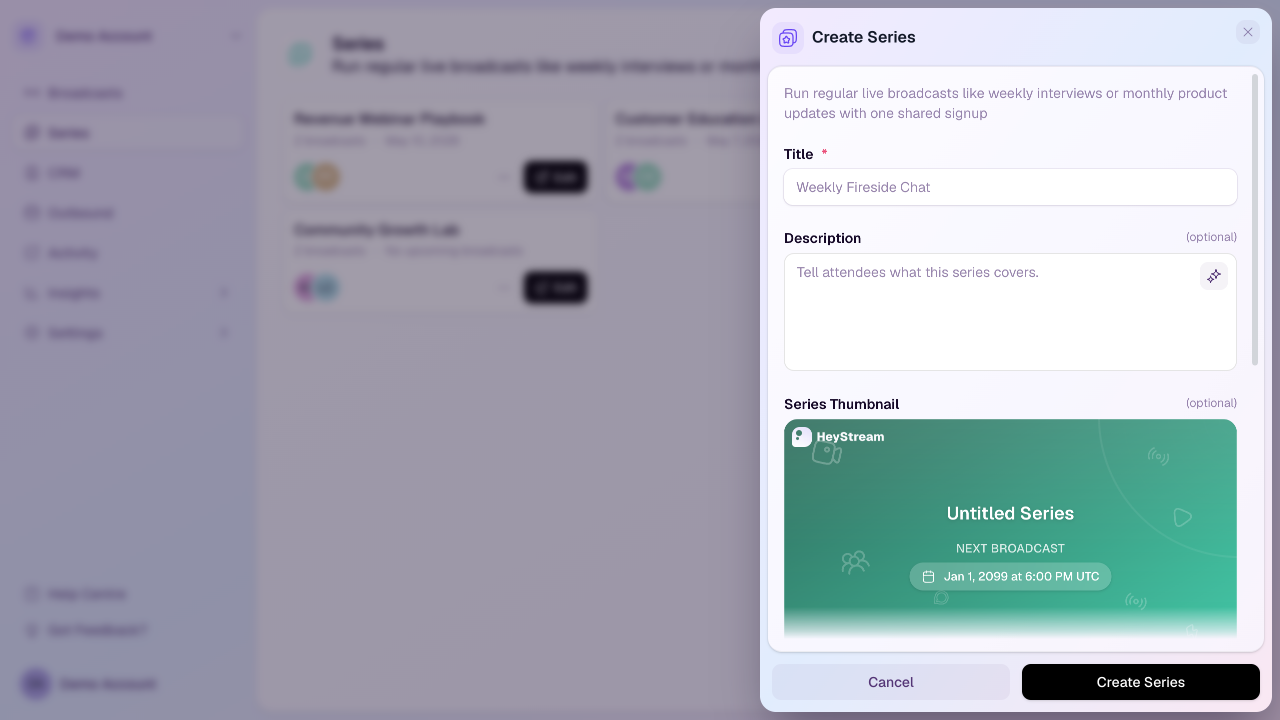
Create a series
Open the workspace you want to use.
Select Series in the sidebar.
Select New Series.
Add a title and description.
Review the series thumbnail, broadcast labels, public registration setting, custom confirmation URL, and any custom registration questions.
Select Create Series.
Series fields
Title: The public name of the series.
Description: A short explanation of what the series covers.
Series thumbnail: The preview image for the series page. HeyStream can generate a dynamic preview, or you can upload a custom 16:9 image.
Broadcast labels: Optional labels for what each item in the series should be called, such as broadcast, episode, or session.
Allow Public Registration: Controls whether new people can register for the series.
Custom confirmation URL: Optionally send attendees to your own thank-you page, offer, survey, or tracking destination after they register on the hosted series page. Use an http or https URL. If this is blank, HeyStream shows the normal confirmation view with add-to-calendar links.
Custom Registration Questions: Extra questions asked when someone registers for the series.
Link broadcasts to a series
You can link a broadcast to a series from the broadcast Details tab. When registration is enabled, series subscribers are automatically registered for linked broadcasts.
How series registration works
Series registration is managed at the series level. This means registration questions and subscriber records are shared across the series, rather than configured separately for each linked broadcast.
Plan limits
Your plan controls how many active series you can create. Launch includes 1 active series, Growth includes 5, and Scale includes unlimited active series. If you reach the limit, HeyStream will show a limit message or disable new series creation.
Good practice
Create the series first, then link each related broadcast to it. This keeps subscriber enrollment, registration questions, and the post-registration experience consistent from the beginning.