
Manage your account
Your account area is where you manage the parts of HeyStream that sit above an individual workspace: your profile, password, billing, and workspace list.
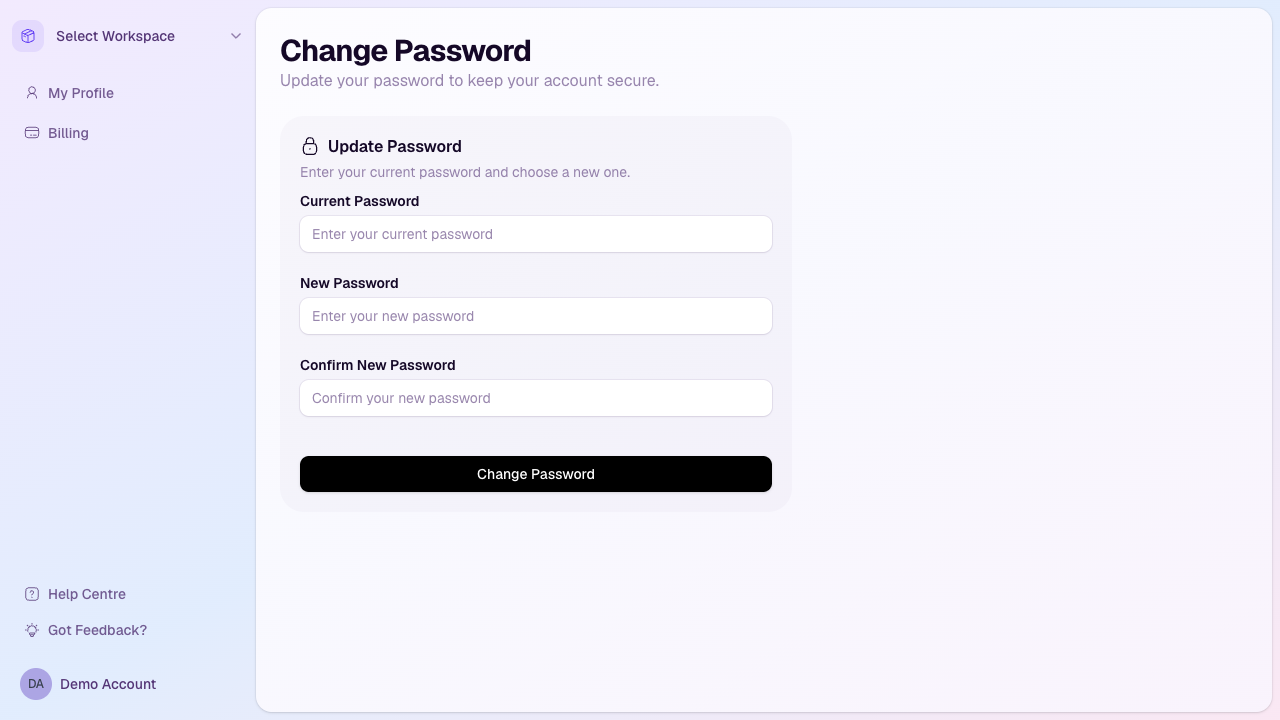
Open your account area
Sign in to HeyStream.
Open the account menu from the bottom-left of the app sidebar.
Use the account sidebar to move between your profile, billing, workspaces, and password settings.
Update your password
Open My Profile or the password page from your account area.
Enter your current password.
Enter and confirm your new password. Your new password must be at least 8 characters and must be different from your current password.
Select Change Password.
Manage billing
Open Billing to see your current plan, subscription status, payment method, and storage usage. If your account has billing actions available, you can manage the subscription or payment method from that page.
Manage workspaces
Open My Workspaces to choose a workspace or create a new one if your plan has workspace capacity available. Workspaces are separate areas for different brands, business units, or live programmes.
Troubleshooting
You cannot access the app after signing in: Check whether the account has active billing access or an active trial.
You cannot create another workspace: Your current plan may have reached its workspace limit.
Your password change fails: Confirm your current password is correct and that the new password meets the minimum length requirement.