
Create or edit a broadcast
A broadcast is a single live session in HeyStream. Create a broadcast when you want a standalone webinar, demo, interview, meeting, or live event with its own registration page, watch page, presenters, and settings.
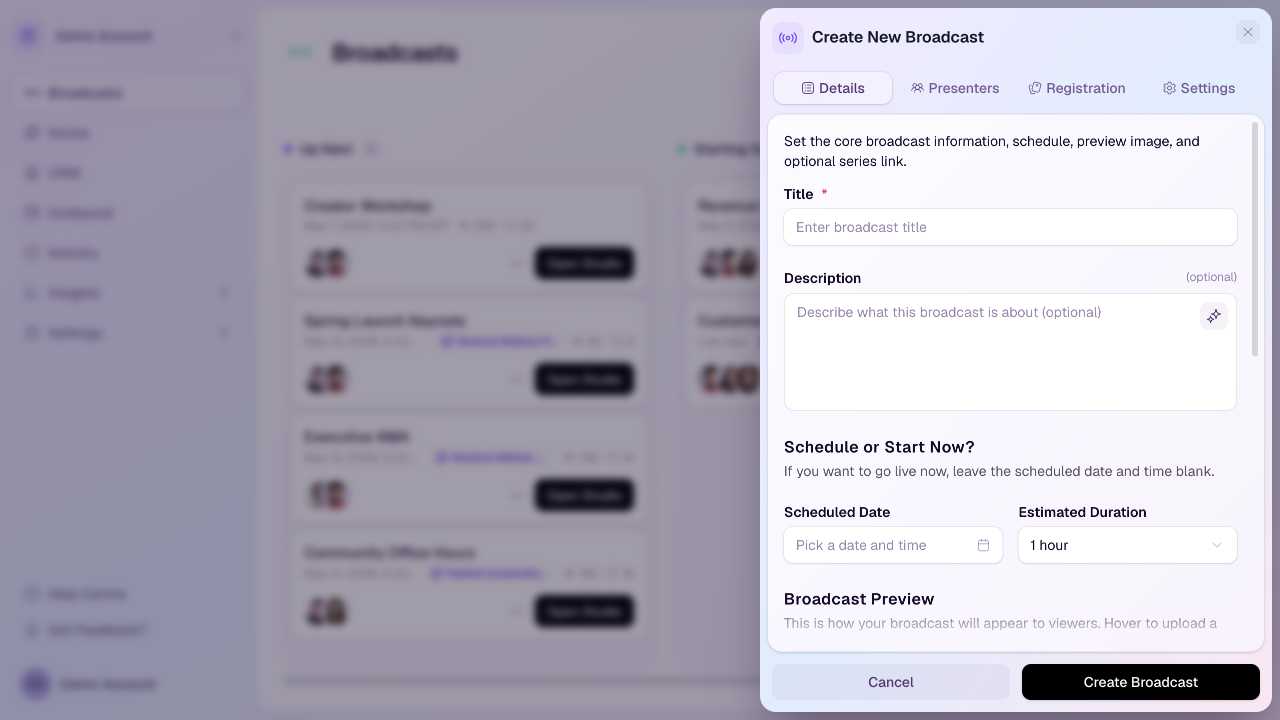
Create a broadcast
Open the workspace you want to use.
Select Broadcasts in the sidebar.
Select New Broadcast.
Complete the Details tab first, then review Presenters, Registration, and Settings.
Select Create Broadcast when the broadcast is ready to save.
Edit a broadcast
Open Broadcasts.
Find the broadcast you want to update.
Open the broadcast options menu or edit action.
Update the broadcast details, presenters, registration settings, or viewer settings.
Save your changes.
Details tab
Title: The main name of the broadcast shown inside HeyStream and on public pages.
Description: Optional rich text that explains what the broadcast is about.
Scheduled date: The date and time for a scheduled broadcast. Leave it blank if you are creating a broadcast you plan to start now.
Estimated duration: Used to check the broadcast against your plan duration limit.
Broadcast preview: The thumbnail or generated preview viewers see before the broadcast starts.
Series: Optional. Link the broadcast to a series so subscribers can be enrolled automatically.
Presenters tab
Use Presenters to set your own role and add anyone else who should join the studio. Additional presenters receive invite links for the broadcast.
Registration tab
Use Registration to decide whether public registration is open, whether replay registration stays open after the live session, whether hosts receive question notifications, and whether the registration form should ask custom questions.
Settings tab
Use Settings for broadcast-level viewer features such as stream reactions.
Before sharing the broadcast
Check the title, date, timezone, registration settings, presenters, and preview image before sharing the registration link.