
Hosted registration pages
Every registration-enabled broadcast can have a hosted registration page. Share it when you want HeyStream to collect attendee details, custom question answers, and registration confirmation data for you.
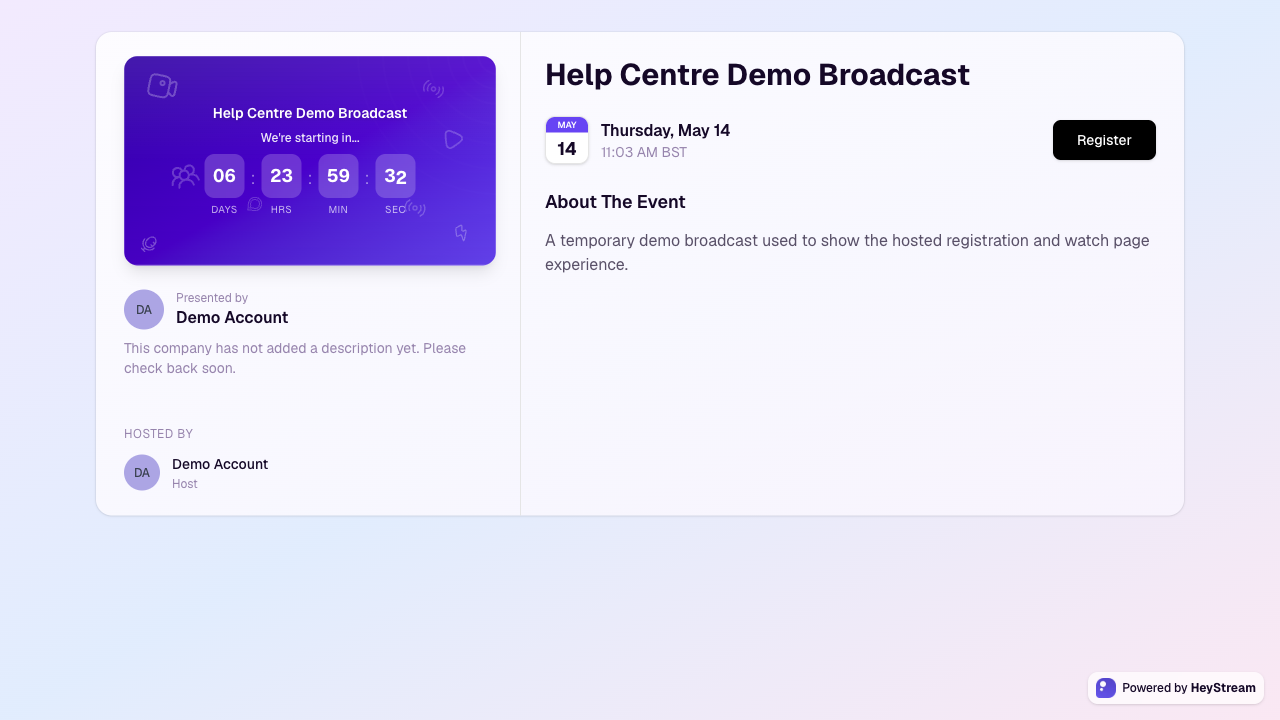
What the hosted page includes
The broadcast title, scheduled date, time, and countdown when the broadcast is scheduled.
The broadcast description, presenter details, and host information.
A Register button that opens the registration form.
Your required name and email fields, plus any custom registration questions you added.
Your workspace legal links below the registration action, if you added them in Workspace branding and defaults.
Prepare the page before sharing it
Open the broadcast editor.
Add a clear title and description so visitors understand what they are signing up for.
Set the schedule and timezone if the broadcast has a planned start time.
Add presenters and branding where relevant.
Turn on registration and add any custom questions you need.
Optionally add a custom confirmation URL if attendees should go to your own thank-you page, offer, survey, or tracking destination after registering.
If your attendees should see your own Privacy Policy or Terms & Conditions, add those links in Workspace branding and defaults.
Open the hosted registration link and check the page before sharing it publicly.
Custom confirmation URLs
A custom confirmation URL changes what happens after someone registers on the hosted page. Instead of showing HeyStream's normal confirmation view with add-to-calendar links, HeyStream redirects the attendee to the URL you entered.
Use an http or https URL.
Keep the destination page live before sharing the registration link.
Include any next steps attendees need, such as calendar links, a thank-you message, an offer, or instructions to check their email.
Embedded registration widgets and watch-gate registrations keep using the in-place HeyStream confirmation flow.
Good to know
If a broadcast belongs to a series, visitors are directed to register for the series instead of only the single broadcast.
The page updates as you edit the broadcast details in HeyStream.
Keep the registration form focused. Ask only for details you will actually use before or after the broadcast.
HeyStream always includes its own privacy link. Your workspace Privacy Policy and Terms links appear when you add them in workspace settings.
Use your own domain
You can use a subdomain you own for your public registration, watch, replay, and calendar links. See Connect a custom domain for DNS setup, activation, and removal steps.