
Use behavior-based filters
Behavior-based filters help you send campaigns to the right people based on what they registered for, watched, clicked, asked, or did during a broadcast.
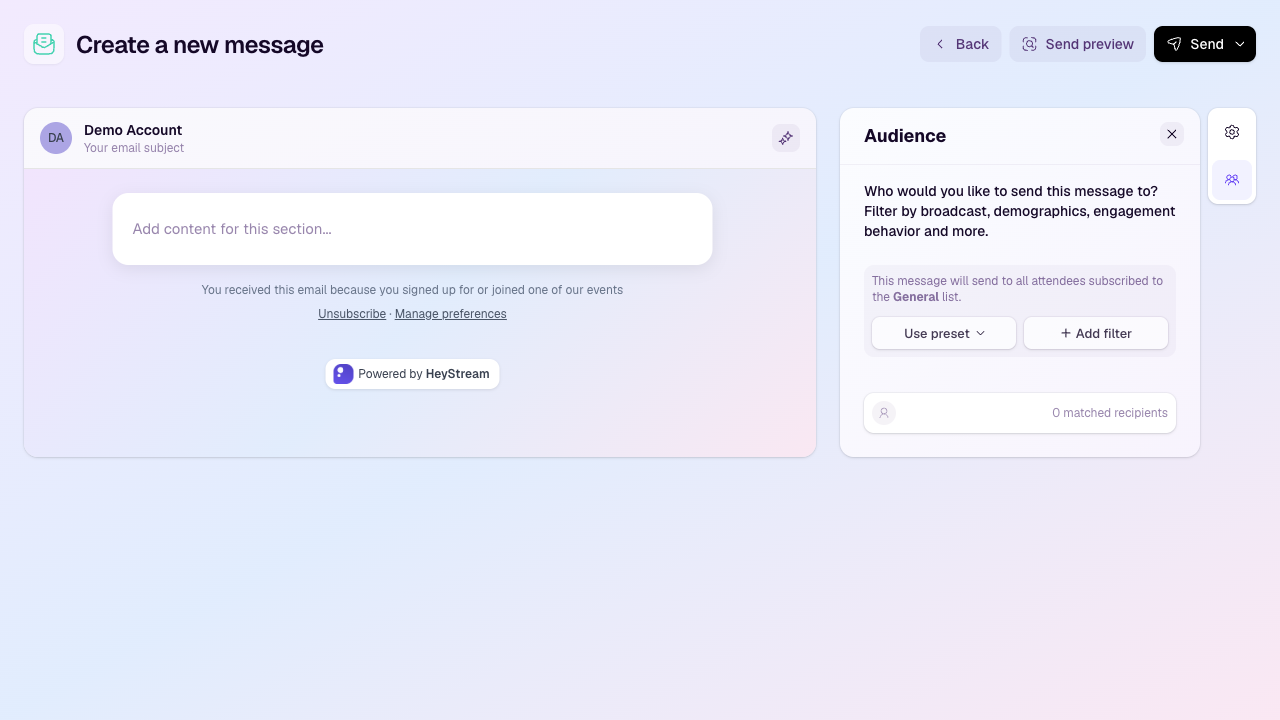
Open the audience filter builder
Create or edit an outbound campaign.
Select the Audience icon in the right-hand side rail.
Choose Use preset for common segments, or Add filter to build your own rules.
Common behavior filters
Watched live or watched at least 10 minutes live.
Watched the replay but did not attend live.
Sent a chat message, asked a question, reacted, or clicked a CTA.
Registered for a specific broadcast or subscribed to a series.
Matched contact details or registration question responses.
Combine filters
Use all, any, or none groups to combine rules. For example, you can target people who registered for a broadcast and clicked a CTA, or people who watched the replay but did not attend live.
Check the audience estimate
HeyStream estimates the matched recipients as you build the audience. If the estimate is lower or higher than expected, review the selected subscriber list and each rule before sending a preview or scheduling the campaign.