
Connect CRM and email tools
Connect a CRM or email provider when you want HeyStream registrations and attendance activity to flow into the tools your team already uses for follow-up.
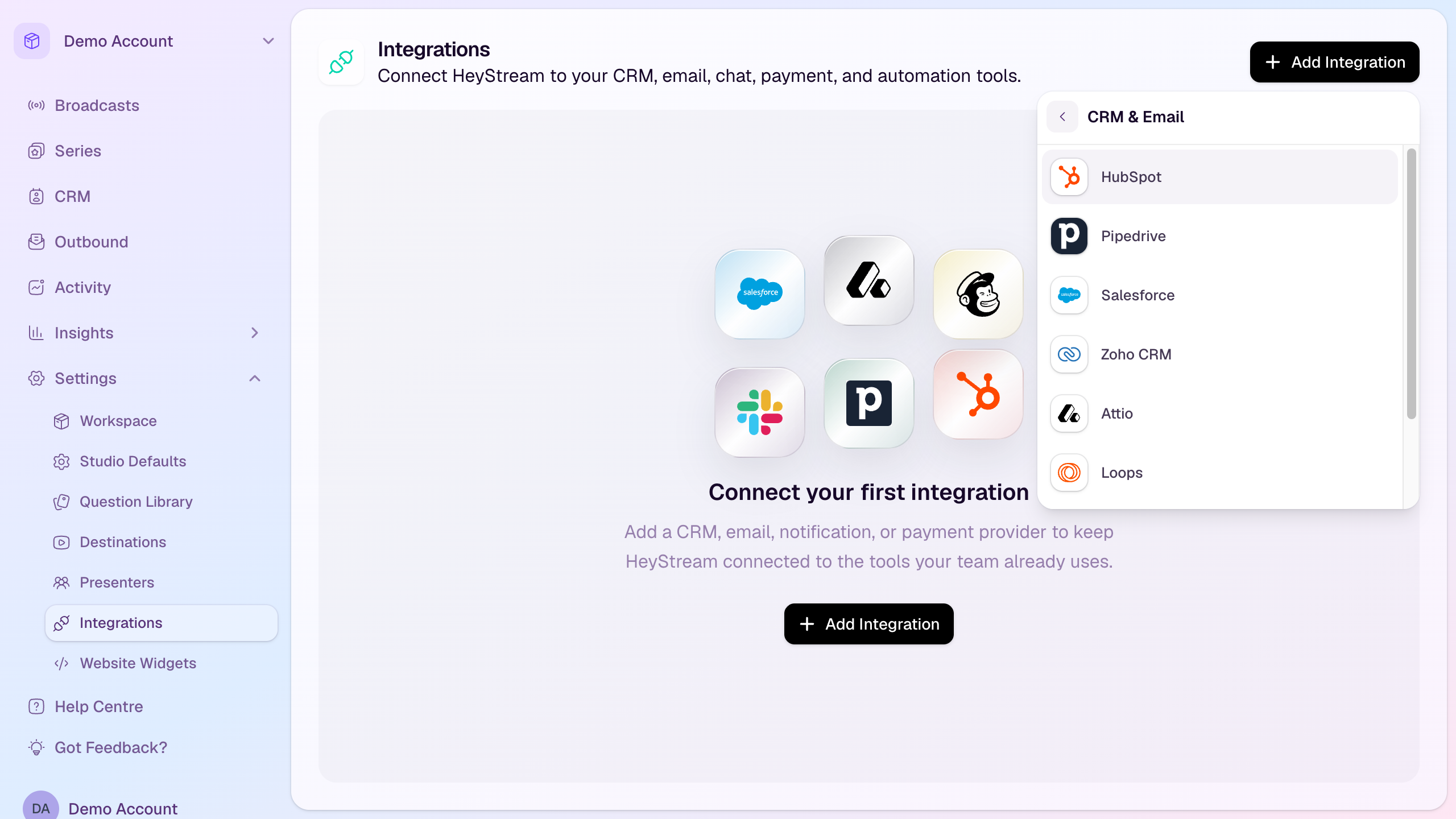
Supported CRM and email providers
HubSpot, Pipedrive, Salesforce, Zoho CRM, and Attio for CRM contact sync.
Loops, ActiveCampaign, and Mailchimp for email or marketing-list sync.
Provider capabilities vary. Some providers support contact lists, tags, custom registration fields, or broadcast activity events; others only create or update contacts.
Connect a provider
Open Settings from the workspace sidebar.
Select Integrations.
Select Add Integration.
Choose CRM & Email.
Select the provider you want to connect.
Add a label if you have multiple accounts for the same provider.
Enter the provider credentials or complete the OAuth authorization flow.
Complete any provider-specific settings such as an audience, list, tags, data center, API URL, or event tracking details.
Save the connection.
What HeyStream sends
New registration events can create or update a contact in the connected provider.
Attendance events can update supported providers when a contact watches a broadcast.
Selected registration question responses can sync as custom fields for providers that support custom field sync.
Mailchimp, ActiveCampaign, and Loops can use list or audience settings when those options are configured.
Good habits
Use a clear label when connecting more than one account or workspace.
Only enable field sync for registration questions that should live in the external system.
Check the provider permissions before connecting so HeyStream can create or update contacts successfully.